Eye-Fi Pro Card Adds Raw Uploads, Computer Transfers
Eye-Fi has updated its line of Secure Digital (SD) Wi-Fi cards with the Eye-Fi Pro, which adds support for raw format image files. The new model ($150 for a 4 GB card) can also use ad hoc networking, a computer-to-computer Wi-Fi transfer method supported by Mac OS X and all desktop operating systems.
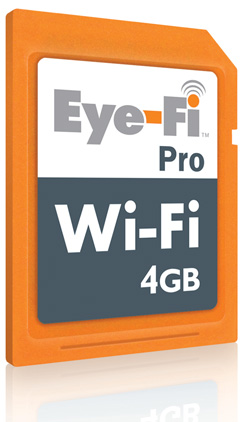
For initial configuration, you connect the card to the Mac or a Windows system via an included USB card reader, after which you can set preferences and enter Wi-Fi network passwords. Several models, including the Eye-Fi Pro, are automatically configured to connect to any of 10,000 AT&T Wayport hotspots in the United States. (One year’s service is included; each subsequent year costs $15.)
The card works independently of the camera; the camera is, in fact, unaware that anything is different about the card. All five models of Eye-Fi (which vary in features, and start at $50 for the basic Home version) automatically transfer files whenever they encounter a Wi-Fi network that matches one in the card’s profile.
Professional – and many regular – photographers prefer to use raw image formats, as raw images retain as much as possible of the data captured by a sensor without being processed into something more palatable. Raw isn’t exactly a standard, but major image-editing software can interpret and convert the various (often proprietary) formats used by camera makers. Except for this new Eye-Fi Pro, the Eye-Fi cards can’t transfer raw images, though they are stored on the card normally.
Ad hoc networking, another new feature, lets you send images from the Eye-Fi Pro to a Mac or other computer without having a base station nearby. Ad hoc networking is a special mode in the 802.11 protocols that allows communication among computers and other devices without a central coordinating hub. Mac OS X is unique in having both ad hoc networking (AirPort menu > Create Network) and Internet sharing over Wi-Fi, which simulates a hardware base station (Sharing preferences pane > Internet Sharing). By adding support for ad hoc networking, the Eye-Fi Pro becomes more useful for anyone wanting to dump photos to a Mac while shooting far from a Wi-Fi network.
Eye-Fi also upgraded all cards, old and new, to include Selective Transfer, a feature that lets you choose which images and videos (on cards that support video uploads) to transfer. Previously, every photo or video would be uploaded automatically. This new option lets you tag images with a camera’s protected or locking feature (which varies by camera), and only locked/protected photos are then uploaded.
With all of these changes, it seems like Eye-Fi has addressed several of TidBITS publisher Adam Engst’s complaints in “Why I Hate the Eye-Fi Share Wireless SD Card,” 2008-08-18.
- Uploading other than JPEG images: The Pro model handles videos and raw files; the Explore Video model ($100) uploads videos.
- Selecting which pictures to transfer: The Selective Transfer feature adds this option, which prevents all photos from being transferred or uploaded to a photo-sharing service.
I wrote a contrasting article at the same time as Adam’s (see “Why I Like the Eye-Fi Explore Wireless SD Card,” 2008-08-18) and nearly all my remaining provisos about the Eye-Fi have been taken care of.
There are still plenty of items left on Adam’s list, many of which require camera makers to work with Eye-Fi to integrate the card’s options into camera firmware. Companies that make cameras seem to not quite understand the way in which their users want to use Wi-Fi. Even the cleverest of Wi-Fi-enabled cameras is a pure frustration compared to any Eye-Fi card.