Use Find My iPhone from an iPhone
This past summer, when I was using Apple’s Find My iPhone service to check up on where Tonya was during her long training rides, I bemoaned the fact that Apple actively prevents you from accessing the MobileMe Web site via Safari (see “Find My (Wife’s) iPhone,” 2009-09-23).
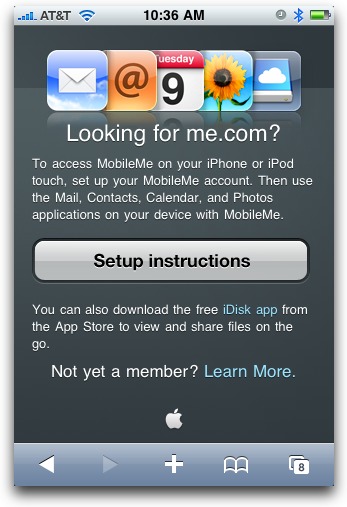
That’s largely because Apple has created apps – Mail, Contacts, Calendar, Photos, and iDisk – that provide iPhone-specific interfaces for all the primary MobileMe features.
But there’s one glaring omission – Find My iPhone. And once this summer, while meeting Tonya at the end of a 55-mile one-way ride, it would have been useful to have Find My iPhone working on my iPhone so I could locate her iPhone.
As much as I wanted the feature this summer, it wasn’t until TidBITS reader Anyse Joslin asked how to access MobileMe via an iPhone on TidBITS Talk that I had my brainstorm. I realized that Apple is probably sniffing the browser to figure out that it shouldn’t load the MobileMe Web site on an iPhone, and if I could use a different Web browser that identified itself differently, I might be able to get in.
The only iPhone app I have handy that implements a full browser is Selznick Scientific Software’s PasswordWallet. It’s designed to simplify accessing password-protected Web sites by giving you buttons that insert pre-configured usernames and passwords into Web forms. It’s actually a good choice for accessing Find My iPhone, since you must first log in to MobileMe with your user name and password, and then enter your password again to access your account settings screen, where Find My iPhone is located.
When you first connect to http://www.me.com/ from an unusual browser, the site warns you that it’s designed to work only with Safari or Firefox, but a Continue button lets you keep going, which is all that’s necessary to get in.
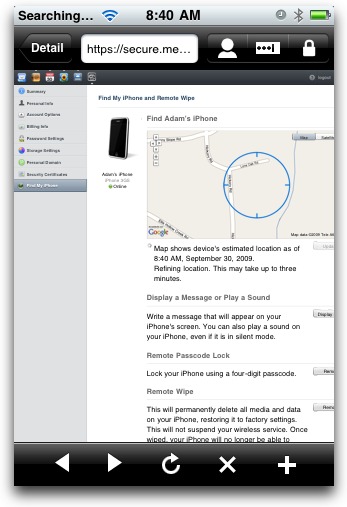
Unsurprisingly, the MobileMe Web site works poorly on the iPhone, assuming a larger screen and being generally difficult to navigate, due to tiny interface elements. But, as you can see from the screenshot, it did work, and I was able to use Find My iPhone to show that my iPhone is right in my hands at home.
Anyse wanted to access older messages in Mail via the MobileMe Web site that couldn’t easily be retrieved via the iPhone’s Mail app (this is one reason why I use the Gmail mobile client in Safari, rather than the Mail app). I’m uncertain if the MobileMe Web site will do what Anyse wants, unfortunately, since although I could view messages, scroll bars didn’t appear at all, and searching didn’t seem to work either.
Subsequently, I tried sending myself the MobileMe URL in a direct Twitter message so I could try accessing it from Twitterrific’s Web browser, and that worked as well, though without PasswordWallet’s form-filling capabilities. I would guess that other non-Safari Web browsers on the iPhone would work similarly.
The moral of the story is that you can use Find My iPhone from an iPhone; you just have to think outside of Apple’s Safari box.
There's value to being able to access MobileMe on the iPhone for other reasons, too, including letting a friend check her e-mail when your phone's the only web browser around. I'm often traveling with people who'd love to see if there are any new messages, and believe it or not, they aren't all Gmail users.
Yeah, that's a good point. I'd definitely encourage people to play with MobileMe Mail via the iPhone to see if it's sufficiently usable, though, since I couldn't scroll in either the message list or the message itself, making it hard to read much.
wow, great tip!
I managed to login to MobileMe and Find My iPhone via the browser in Tweetie on my iPhone using your idea. First I did a search for www.me.com to find someone's tweet containing the full link and went from there
thanks for the tip
And thanks for *your* tip, bc. I tried 1password, but it displayed the same error message that Safari does. Using Tweetie did the trick for me.
Ah, well WikiServer enables this too
http://www.mobilewikiserver.com
since it supports the ability to type in any URL for link-to purposes. Gets a 17+ rating for that feature too...
It works with WonderRadio's browser too. It is very slow unfortunately and actually froze at times. Nonetheless it is functional. Thanks for the great tip
The use for this tip would be to read MIME attachments, which the iPhone Mail app doesn't read, for some bizarre reason. I'll have to try this the next time I get one.