Twitter Stops Asking What You’re Doing
Twitter has finally acknowledged something that I’ve been complaining about since the early days – constant status updates in response to the “What are you doing?” question are generally boring. In my first mention of Twitter (see “Visions of the Sublime and the Inane,” 18 June 2007), I wrote:
Twitter defines itself well as "A global community of friends and strangers answering one simple question: 'What are you doing?'" You've heard of solutions looking for a problem? Twitter is thousands of answers looking for a question that no one cares about.
I’ve suggested elsewhere that Twitter’s question should be “What are you thinking about?” but given the widespread use of Twitter for sharing interesting links, talking about current events, reporting on clever comments by one’s kids, and more, Twitter has now changed its question to “What’s happening?”
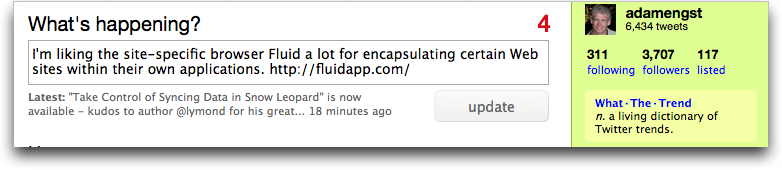
And while I think it would be fun if Twitter changed the question occasionally – how about “What’s up, Doc?” – asking “What’s happening?” is fine, since it will encourage new Twitter users to post more interesting and useful bits of information. Anything that raises the level of discourse is a good thing.
To be fair, I suspect most serious Twitter users rely on a client like TweetDeck or Twitterrific and haven’t seen the Twitter Web site with its question for quite some time, but as Twitter has improved its Web interface, I could see more people sticking with it for longer before jumping ship for a more-capable client.
I can't hear "What's happening" without it sounding like Bill Lumbergh is speaking.
That's why I suggested "What's up, Doc?" - I'd hear Bugs Bunny saying it every time I saw it!
Well, it's better than Facebook's "What's on your mind?" Makes me feel like Facebook always thinks I'm troubled about something.
Wait, they could hook Eliza up to it, keying off your status messages! "How do you feel about..."
They should use a database like Flickr uses to greet you. If they asked the Twittersphere I'm sure they could wind up with a couple hundred in a week easily.
Or a couple hundred thousand. :-) They could even have a Twitter account to submit greeting questions.