iToner Makes iPhone Ringtones Easy
Ambrosia Software has released iToner 1.0.1, a simple utility that lets you add MP3 or AAC audio files to an iPhone for use as custom ringtones. By default, the iPhone includes a limited set of 25 ringtones (which admittedly sound better than the beeps and clicks found on most phones); you can’t yet purchase others through AT&T, a business that has proven to be surprisingly lucrative for the phone carriers (about $600 million in 2005, for example). As of this writing, Apple’s new ringtone service – which offers 30-second snippets of songs
at the iTunes Store for $0.99 on top of the $0.99 price of the song itself – is not yet operating.
(The release of iTunes 7.4 broke the capabilities of iToner 1.0, which prompted the 1.0.1 update late last week.)
What’s notable about iToner is that it doesn’t require any iPhone hacking software to work. To add audio files, simply drag them to iToner’s iPhone-like window and press the Sync button. The files are copied to the iPhone and appear in the Sounds preference pane. An Advanced option lets you synchronize iTunes playlists instead.
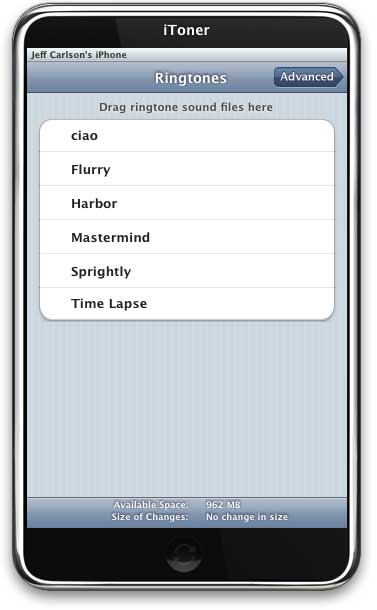
I’ve never gotten excited about ringtones, largely because it seemed silly to spend money for little audio snippets, and because converting and adding audio files for other phones seemed like a hassle. Making the process easier has prompted me to take another look. I won’t be using some popular song as my phone ringer, but it’s nice to have more options for setting up custom ringtones for contacts (such as different sounds that play when my wife or my parents call).
I grabbed a few snippets from the sound effects included with iMovie ’08, which are already in MP3 format; in iMovie ’08, click the Music and Sound Effects button, click the iMovie ’08 Sound Effects folder, and double-click a song file to hear it. Right-click (or Control-click) the title and choose Reveal in Finder to see the file and then drag it to iToner. Another good resource, courtesy of Apple, is the iLife Sound Effects folder (also available via iMovie, or found at /Library/Audio/Apple Loops/Apple). The latter are saved as AIFF files, so I used iTunes to convert the ones I wanted to AAC format before dragging them to iToner.
iToner costs $15, is a 2.7 MB download, and requires Mac OS X 10.4.10 or later. It can be used for free during a 30 day trial period.