What's this image?
Your source for indispensable Apple and Macintosh news and reviews, plus the best-selling Take Control ebooks.


Viewing Wi-Fi Details in Snow Leopard

In Snow Leopard, hold down the Option key before clicking the AirPort menu. Doing so reveals additional technical details including which standards, speeds, and frequencies you're using to connect, as well as what's in use by other networks. With the Option key held down and with a network already joined, the AirPort menu reveals seven pieces of information: the PHY Mode, the MAC (Media Access Control) address, the channel and band in use, the security method that's in use, the RSSI (Received Signal Strength Indication) measurement, the transmit rate, and the MCS Index. In Leopard, some, but not all, of these details are revealed by Option-clicking the AirPort menu.

Submitted by
Doug McLean


Recent TidBITS Talk Discussions


Related Articles


Infinite Recursion with Screen Sharing

I was experimenting with Leopard Screen Sharing and its backwards compatibility with VNC - see "Screen Sharing with Leopard Extends to Tiger," 2007-10-26 - when I managed to produce this lovely recursive screen capture.
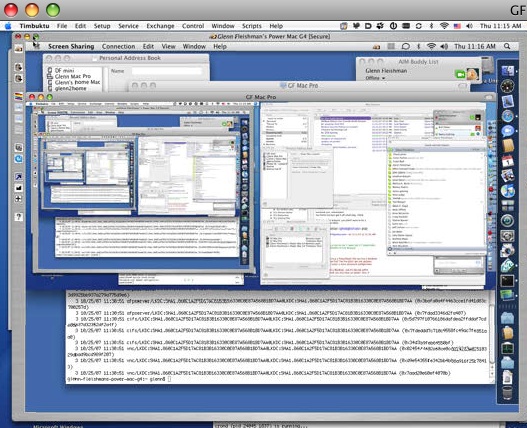
I was using Timbuktu Pro 8.7, the new Leopard-compatible release, to connect to a test system I have that's running Leopard. With Remote Desktop enabled on my main Tiger computer, I connected back from Leopard. Leopard and Timbuktu Pro gamely redrew each recursive window in alternation. What a partnership. The two programs kept drawing smaller and smaller screens - look in the middle left to see teeny tiny forms of the whole.


CrashPlan is easy, secure backup that works everywhere. Back up
to your own drives, computers, and online with unlimited storage.
With unlimited online backup, this is one resolution you can keep.
Back Up Your Life Today! <http://crashplan.com/ref/tidbits.html>