Aperture 2.1 Adds Plug-in Capability to Edit Photos
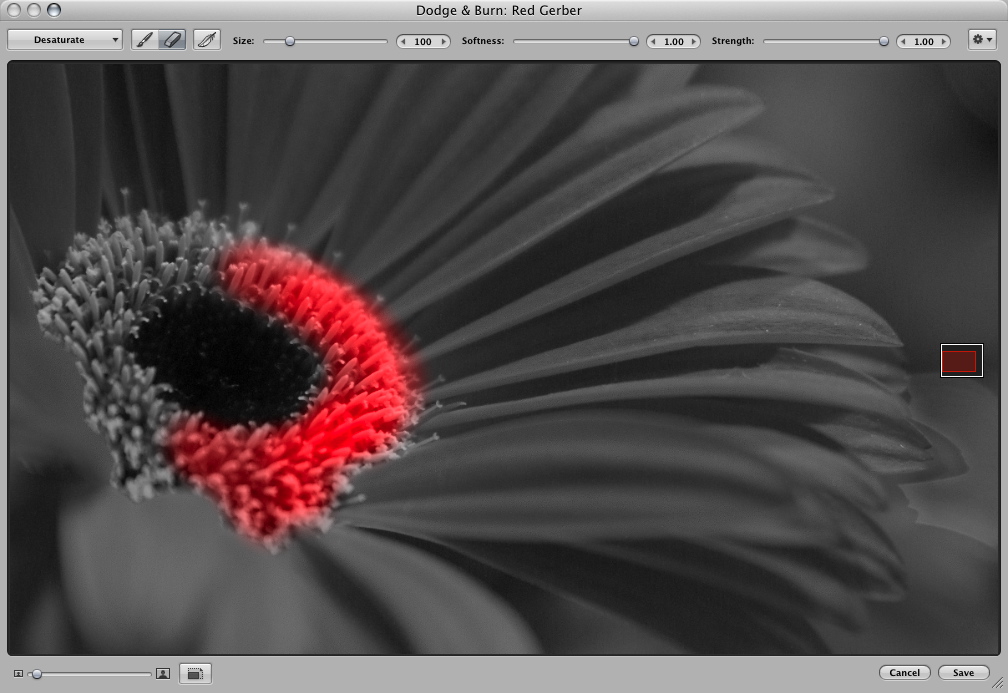
Apple made a significant push into Adobe’s turf last week with the release of Aperture 2.1, a free upgrade for owners of version 2.0 of the company’s photo management program. In addition to bug fixes, Aperture 2.1 introduces a plug-in architecture developers can use to create utilities that can edit images. One plug-in is included with the update: Dodge & Burn, which enables you to lighten or darken areas of an image selectively, rather than apply the adjustment to the entire image.
That level of editing control is one reason photographers use Adobe Photoshop to fine-tune their images. Making it possible to apply selective adjustments might convince some people to wean themselves from the Adobe juggernaut. More likely, however, this change will be more effective in preventing those not currently invested in Photoshop to stay within Aperture for their touch-up needs.
Plug-ins appear under the Edit With submenu of the Images menu. Accessing a plug-in loads a selected image in a new window, where you can choose brush sizes and effect styles; in addition to dodging and burning, the included plug-in can saturate, desaturate, sharpen, blur, apply contrast, or fade areas of the image. Pressing O reveals the edit as an overlay, which is helpful for seeing where the effect is applied. Saving the changes creates a new version of that image.
To tempt Aperture owners, Apple mentioned in its press release a number of developers working on Aperture plug-ins – companies whose products are used by photographers, such as Noise Ninja, Viveza, Power Stroke, Dfx, dpMatte, and plug-ins from Image Trends. (Charles Maurer wrote about Noise Ninja in “Editing Photographs for the Perfectionist, 2007-09-07.)
Aperture 2.1 is available via Software Update or as a 48.1 MB download.