Easier AT&T Wi-Fi Connections with Free iPhone Software
Devicescape has released Easy Wi-Fi for AT&T, a simple iPhone application that lets U.S. iPhone subscribers use the included free access to AT&T’s hotspot network with a lot less fuss. AT&T enabled free access a few weeks ago, but requires that you visit a Web page at the hotspot, enter your phone number, wait for a free SMS message, and then click a link in the message. Easy Wi-Fi for AT&T requires only that you enter your phone number once when setting up the program, then never again. (The software was free during a promotion that was scheduled to end on December 5, but may still be available at no cost.)
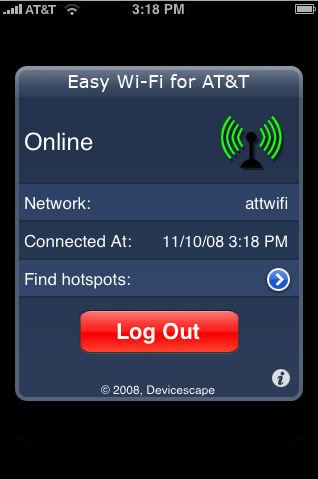
Devicescape also makes Easy Wi-Fi, a $1.99 iPhone application that works with the firm’s My Devicescape ecosystem, in which a no-cost account at the company’s servers acts as a hub for any Wi-Fi accounts you may have, as well as handling passwords for home and work networks. (See “Easy Wi-Fi Enters Hotspot Passwords for You,” 2008-10-02.)
For instance, I have a Boingo Wireless account and the free AT&T service for my iPhone. I’ve entered both sets of credentials into my Devicescape account. When I’m at an airport or coffee shop, I launch Easy Wi-Fi, tap Connect, and Devicescape handles all the ugliness of logging in.
The trick with Easy Wi-Fi for AT&T is that it can be upgraded at no cost to the full functionality of Easy Wi-Fi, something the company isn’t trying to hide. After installing the free program, tap the “i” icon at lower right, and select Register at Devicescape for More from the Settings screen. Devicescape may opt to charge for this feature upgrade in the future, but it’s currently a free change.
You can sign up for a Devicescape account through Safari on the iPhone, or you can set up the account first via a desktop Web browser, and then log in to activate the extra features.