Backblaze Launches Mac Beta of Online Backup Service
In September 2008, a company called Backblaze rolled out an interesting new online backup service – but for Windows users only. The company has now launched a private beta of their new Mac software, with invitations available to the first 100 TidBITS readers who sign up.
Backblaze joins such services as CrashPlan, MozyHome, and SteekUP in offering Mac users simple online backup and restoration of large amounts of data at a low cost. For $5 per month (or $50 per year – equivalent to $4.17 per month), Backblaze lets you back up unlimited data from a single computer. Like the other services, Backblaze stores multiple versions of each file, encrypts all your data, and offers block-level incremental updates to speed up backups after the initial run (which may take days or weeks, depending on your Internet connection and the settings you choose). Rather than requiring an explicit schedule, it can
run constantly in the background, backing up new or changed files immediately.
Setup requires only running the installer, entering your email address, and picking a password (though you can adjust other options later if you like). Configuration is handled by a nicely designed System Preferences pane; the only other visible interface is an optional menu bar icon. By default, Backblaze backs up everything on your Mac except system files, applications, developer tools, and files with certain extensions (such as .dmg and .vmdk disk images). You can modify which folders and extensions are excluded in the Backblaze preference pane; the only limitation you can’t change is that individual files over 4 GB are not backed up.
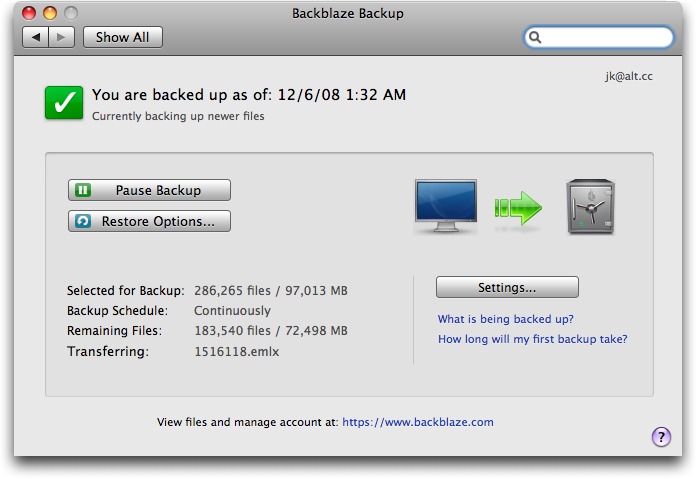
When it comes to restoring files, you have three options. You can select one or more of your backed-up files on a secure Web page and download them in a zip file, with no additional charge. If time is short, you can have Backblaze fill a DVD with up to 4.2 GB of your files and send it to you overnight via FedEx for $99. Or, for $189, you can request up to 160 GB of your data to be sent to you on a 160 GB USB hard drive (which you can then keep). That may be the fastest way to restore data from an online backup, though of course it’s considerably more expensive than simply making your own copy on an external drive. With any of these methods, though, you cannot (at least with the current version of the software) restore files directly to
their original locations; that’s an extra manual step.
The Backblaze public beta runs only on Intel-based Macs, requires Mac OS X 10.4 or higher, and is a 2.6 MB download.